Auto Amazon Links – Amazon Associates Affiliate Plugin

🎨 Auto Amazon Links – Amazon Associates Affiliate Plugin
WPThemeDetector has detected that Auto Amazon Links – Amazon Associates Affiliate Plugin is a popular WordPress plugin, which is expertly developed by the talented author named ! It has an impressive 4.6 out of 5 ratings (based on 95 user reviews), with up to 10000 number of downloads, showcasing its wide user base and trust. : This plugin infomation is last updated on March 21, 2026.
Download Plugin Best Web HostingIn this section, WPThemeDetector provides detailed information about the WordPress plugin Auto Amazon Links – Amazon Associates Affiliate Plugin, including the plugin’s author, the latest version, user reviews & ratings, downloads, screenshots, etc.
| Plugin Name | Auto Amazon Links – Amazon Associates Affiliate Plugin 🔗 |
| Popularity | Active Installs: 10000🔹Star Ratings: 🔹User Reviews: 95 |
| More Info | Current Version: 5.4.3🔹Author: 🔹Last Updated On: 🔹Required WP: 3.4🔹Required PHP: 5.2.4 |
| Tags | |
| Description | Display Amazon Associates Affiliate Links with Minimal EffortStill manually searching products and pasting Amazon affiliate links in WordPress posts? What happens if the products get outdated? With this plugin, you do not have to worry about it nor trouble doing such repetitive tasks. Just pick categories that suit your site and it will automatically display the links of decent products just coming out from Amazon today. Auto Amazon Links is a WordPress plugin for affiliates to create Amazon affiliate links. The links are tagged with your Amazon Associates ID. All the Amazon locales are supported and it works even on JavaScript-disabled browsers. Insert the ads as widget, place shortcode, or use auto-insert to display units automatically where the links should appear. If you want to search for a specific product, yes, you can do that too. If you are good at HTML and CSS coding and know a little about PHP, you can create your own template! That means you can design the layout. Display Amazon affiliate links along with your posts with this plugin to earn commissions with minimal effort. Display a particular product in a postIf you want to simply display your desired specific products in a post, don’t worry. You can do that too. Just paste the product URL into the post editor. No shortcode is required. See How Amazon Affiliate Links are DisplayedSupporting All the Amazon Associates LocalesIncludes Australia, Brazil, Belgium, Canada, China, Egypt, France, Germany, India, Italy, Japan, Mexico, Netherlands, Poland, Singapore, Saudi Arabia, Spain, Sweden, Turkey, United Arab Emirates, United Kingdom, and the United States. China is supported for the category unit type. Works without JavaScriptSome visitors turn off JavaScript in their browsers for security reasons and most ads including Google Adsense will not show up to them. But this one works! Automatic Insertion in Posts and FeedsJust check where you want the product links to appear with auto-insert.
Customizable ButtonsYour site visitors are more likely to click buttons than regular text hyperlinks. Define your custom buttons and insert them into the unit output. The plugin lets you design buttons through UI and prepares several default buttons for you so that you can modify them rather than create your own from scratch. Geo-targetingYou can transform your Amazon affiliate links into the ones of the locale that the site visitor resides, presumed by IP address. So you won’t miss commission fees from visitors coming outside of your country. Auto Link ConversionHyperlinks to Amazon products in posts and comments can be transformed into your associate affiliate links. This is useful if your site allows guests to post contents that include Amazon links. Gutenberg BlockThe plugin has a Gutenberg block that lets you pick units you created, which can save a little time than typing the shortcode. WidgetsPlace the widget in the sidebar and select the unit you created. The product links will appear where you want.
Shortcode and PHP FunctionInsert the ads in specific posts and pages with the shortcode. If you want to insert in the theme template, use the PHP code the plugin provides to produce the outputs. Filtering ProductsYou can filter out certain products you don’t want to display with a black and white list by description, title, and ASIN. RSS and JSON Unit FeedsBy subscribing to the product RSS/JSON feeds of the units you create, you can import them from other sites. If you have a website that can display RSS feed contents, just create a WordPress site somewhere with this plugin and fetch the feed from the site. If you are an App developer, you can just display the items from the feed without programming an API client. Various Unit Options
Customizing OutputsBesides the Item Format unit option which lets you design the output of a unit, you can create a custom template. This gives you freedom of customization and lets you achieve a more advanced and detailed design. Unit Types
Supported Languages
Getting StartedPlease see the Installation section. Shortcode and Function ParametersThe plugin provides means to display Amazon product links by manually inserting a piece of code into your post or a theme file. For posts, it’s called shortcode. For theme files, you need to place a PHP function. Using these, you even don’t have to create a unit.
They both takes the following arguments. id – the unit ID label – the label associated with the units asin – ASINs (product IDs) separated by commas (`,`). search – Search keywords separated by commas (`,`). When the
The These shortcode argument names are case-insensitive, meaning Optionally, the following arguments may be set.
These values can be pre-defined from the setting page via Dashboard -> Auto Amazon Links -> Settings -> Default. Shortcode to Display ButtonsAlthough the It accepts the following parameters.
Creating Your Own TemplateDownload the zip file from the example templates repository. Make sure it runs as a plugin and a few example templates are loaded in the template listing screen (Dashboard -> Auto Amazon Links -> Templates). Follow the steps described in readme.md of the linked repository and start modifying them. You want to: Obtaining PA-API Access Key and Secret KeyTo display more detailed product information, PA-API is required. A pair of access and secret key is required to perform API requests. To get the keys,
You can check if your keys are valid with Scratchpad. continue reading... |
| Screenshot | 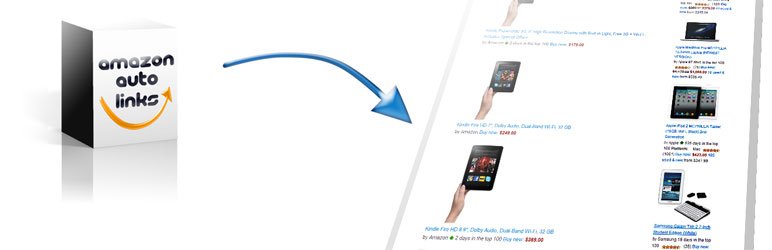 |
| Plugin Homepage | Download This Plugin |
Auto Amazon Links – Amazon Associates Affiliate Plugin Website Examples
WP Theme Detector analyzes public information on WordPress websites. Information may not be 100% accurate. Some plugins cannot be detected, and others have poor detection accuracy. It is cached for a certain period to reduce load.
🔥Recommended WordPress resources
WordPress is a versatile and powerful platform, and creating a website in 2026 requires the right resources. Here are some recommended tools to help you make the most of your WordPress journey: