SlimStat Analytics

elementor pro

🎨 SlimStat Analytics

WPThemeDetector has detected that SlimStat Analytics is a popular WordPress plugin, which is expertly developed by the talented author named ! It has an impressive 4.8 out of 5 ratings (based on 813 user reviews), with up to 90000 number of downloads, showcasing its wide user base and trust. : This plugin infomation is last updated on January 28, 2026.

Download Plugin Best Web Hosting

In this section, WPThemeDetector provides detailed information about the WordPress plugin SlimStat Analytics, including the plugin’s author, the latest version, user reviews & ratings, downloads, screenshots, etc.

Plugin Name SlimStat Analytics 🔗
Popularity Active Installs: 90000🔹Star Ratings: 4.8 out of 5 🔹User Reviews: 813
More Info Current Version: 5.2.13🔹Author: 🔹Last Updated On: April 29, 2025🔹Required WP: 5.6🔹Required PHP: 7.4
Tags analytics, geolocation, reports, statistics, tracking
Description

Track returning customers and registered users, monitor Javascript events, detect intrusions, analyze email campaigns. Thousands of WordPress sites are already using it.

Main Features

  • Real-Time Access Log: measure server latency, track page events, keep an eye on your bounce rate and much more.
  • Shortcodes: display reports in widgets or directly in posts and pages.
  • GDPR: fully compliant with the GDPR European law. You can test your website at cookiebot.com.
  • Filters: exclude users from statistics collection based on various criteria, including user roles, common robots, IP subnets, admin pages, country, etc.
  • Export to Excel: download your reports as CSV files, generate user heatmaps or get daily emails right in your mailbox (via Pro).
  • Cache: compatible with W3 Total Cache, WP SuperCache, CloudFlare and most caching plugins.
  • Privacy: hash IP addresses to protect your users’ privacy.
  • Geolocation: identify your visitors by city and country, browser type and operating system (courtesy of MaxMind and Browscap).
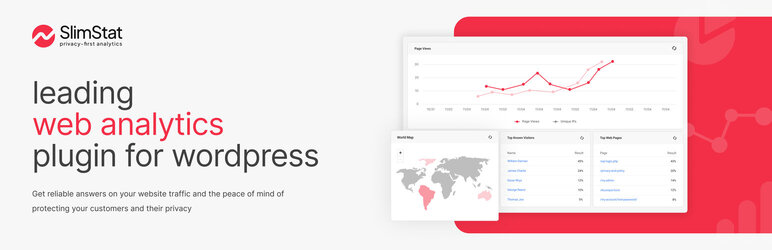
  • World Map: see where your visitors are coming from, even on your mobile device (courtesy of amMap).

Pro Pack Features

  • Network Analytics: Enable a network-wide view of your reports and settings.
  • Email Reports: Receive your reports directly in your mailbox.
  • Export to Excel: Download your reports as CSV files.
  • Heatmap: Display a heatmap layer of the most clicked areas on your website.
  • User Overview: Monitor your registered users by tracking their activities and time on site.
  • MaxMind Integration: Connect to MaxMind’s Geolocation API to retrieve detailed information about your visitors.
  • Custom DB: Use an external database to store all the information about your visitors.
  • Extended Overview: Add custom columns to the User Overview widget and export file.

Requirements

  • WordPress 5.0+
  • PHP 7.4+
  • MySQL 5.0.3+
  • At least 5 MB of free web space (240 MB if you plan on using the external libraries for geolocation and browser detection)
  • At least 10 MB of free DB space
  • At least 32 Mb of free PHP memory for the tracker (peak memory usage)

Please note

  • If you decide to uninstall Slimstat Analytics, all the stats will be PERMANENTLY deleted from your database. Make sure to setup a database backup (wp_slim_*) to avoid losing your data.

Report Bugs

Having trouble with a bug? Please create an issue on GitHub. Kindly note that GitHub is exclusively for bug reports; other inquiries will be closed.

For security vulnerabilities, please report them through the Patchstack Vulnerability Disclosure Program. The Patchstack team will validate, triage, and handle any security issues.

continue reading...
Screenshot
Plugin Homepage Download This Plugin

SlimStat Analytics Website Examples

WP Theme Detector analyzes public information on WordPress websites. Information may not be 100% accurate. Some plugins cannot be detected, and others have poor detection accuracy. It is cached for a certain period to reduce load.

🔥Recommended WordPress resources

WordPress is a versatile and powerful platform, and creating a website in 2026 requires the right resources. Here are some recommended tools to help you make the most of your WordPress journey: