Download Monitor

🎨 Download Monitor
WPThemeDetector has detected that Download Monitor is a popular WordPress plugin, which is expertly developed by the talented author named ! It has an impressive 4.5 out of 5 ratings (based on 510 user reviews), with up to 90000 number of downloads, showcasing its wide user base and trust. : This plugin infomation is last updated on March 15, 2026.
Download Plugin Best Web HostingIn this section, WPThemeDetector provides detailed information about the WordPress plugin Download Monitor, including the plugin’s author, the latest version, user reviews & ratings, downloads, screenshots, etc.
| Plugin Name | Download Monitor 🔗 |
| Popularity | Active Installs: 90000🔹Star Ratings: 🔹User Reviews: 510 |
| More Info | Current Version: 5.0.32🔹Author: 🔹Last Updated On: 🔹Required WP: 6.4🔹Required PHP: 7.4 |
| Tags | |
| Description | Powerful Download Manager Plugin for WordPressDownload Monitor is a powerful download manager plugin for handling downloadable files, adding download links to your posts or pages, and tracking downloads. Download Monitor has been featured on the websites of some of the most popular and leading businesses in the WordPress ecosystem, such as WPBeginner, Pagely, Jilt, WP Fusion & Kinsta. See how easy it is to list a download on your WordPress siteDownload Monitor Extensions available when purchasing a Pro plan
DocumentationWe have a large Knowledge Base on our Download Monitor website that contains documentation about how to how to setup and use Download Monitor. How-to GuidesAre you a new Download Monitor user? Read these articles on how to get your files ready for download with Download Monitor: More advanced topics that a lot of people find interesting: Contributing and reporting bugsYou can contribute code to this plugin via GitHub: https://github.com/WPChill/download-monitor Help & Support
3rd party or external service disclaimerThe plugin connects to our website through an API call (https://download-monitor.com/?dlm-all-extensions=true) in order to request a list of available extensions. IT DOES NOT SEND ANY DATA NOR DO WE COLLECT INFORMATION FROM THE REQUEST Our privacy policy can be found at this URL https://download-monitor.com/privacy-policy/ continue reading... |
| Screenshot | 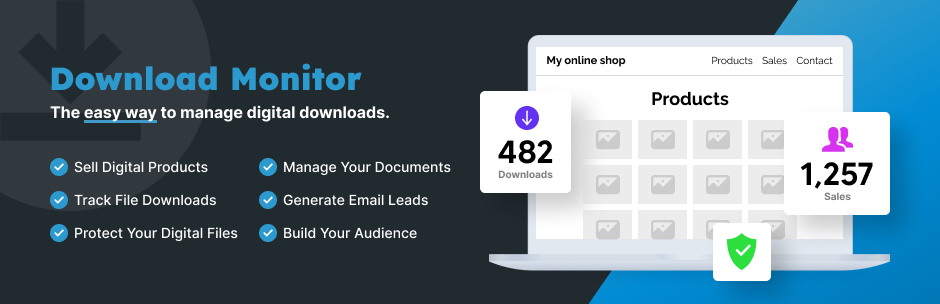 |
| Plugin Homepage | Download This Plugin |
WP Theme Detector analyzes public information on WordPress websites. Information may not be 100% accurate. Some plugins cannot be detected, and others have poor detection accuracy. It is cached for a certain period to reduce load.
🔥Recommended WordPress resources
WordPress is a versatile and powerful platform, and creating a website in 2026 requires the right resources. Here are some recommended tools to help you make the most of your WordPress journey: